Spot the Artist
An AI-powered Web Application that allows users to discover and store Anna Laurini's famous artworks around their city.
An app for storing spotted works of famous street artist
Taking a street art photo only for it to get lost in your gallery can feel pointless. This app is not only for street art fans but also for those of you who want to share forgotten or freshly captured pieces that were once a small part of your day. What is more exciting — you'll also be able to interact with your favourite artist and even get a little thank you bonus!
“Spot the Artist” is a web app where users in London, Paris and other cities photograph and share street art by Anna Laurini. That helps to create a shared digital gallery, preserve the art and to grow the community.
Note: I prefer not to call it a “Pokemon Go style game” since it was not designed for a hunt. Purpose of the app is to build a digital gallery that helps street art last longer.
User workflow
First things first — to save a verified picture you have to sign in! Signing in lets us track your finds and create your individual gallery.
From there you have two options: to Upload from gallery an existing photo or to open the Camera and take a picture in real time.
After that the art is being verified — we check whether the uploaded photo actually contains Anna Laurini's art. Here we have the following outcomes:
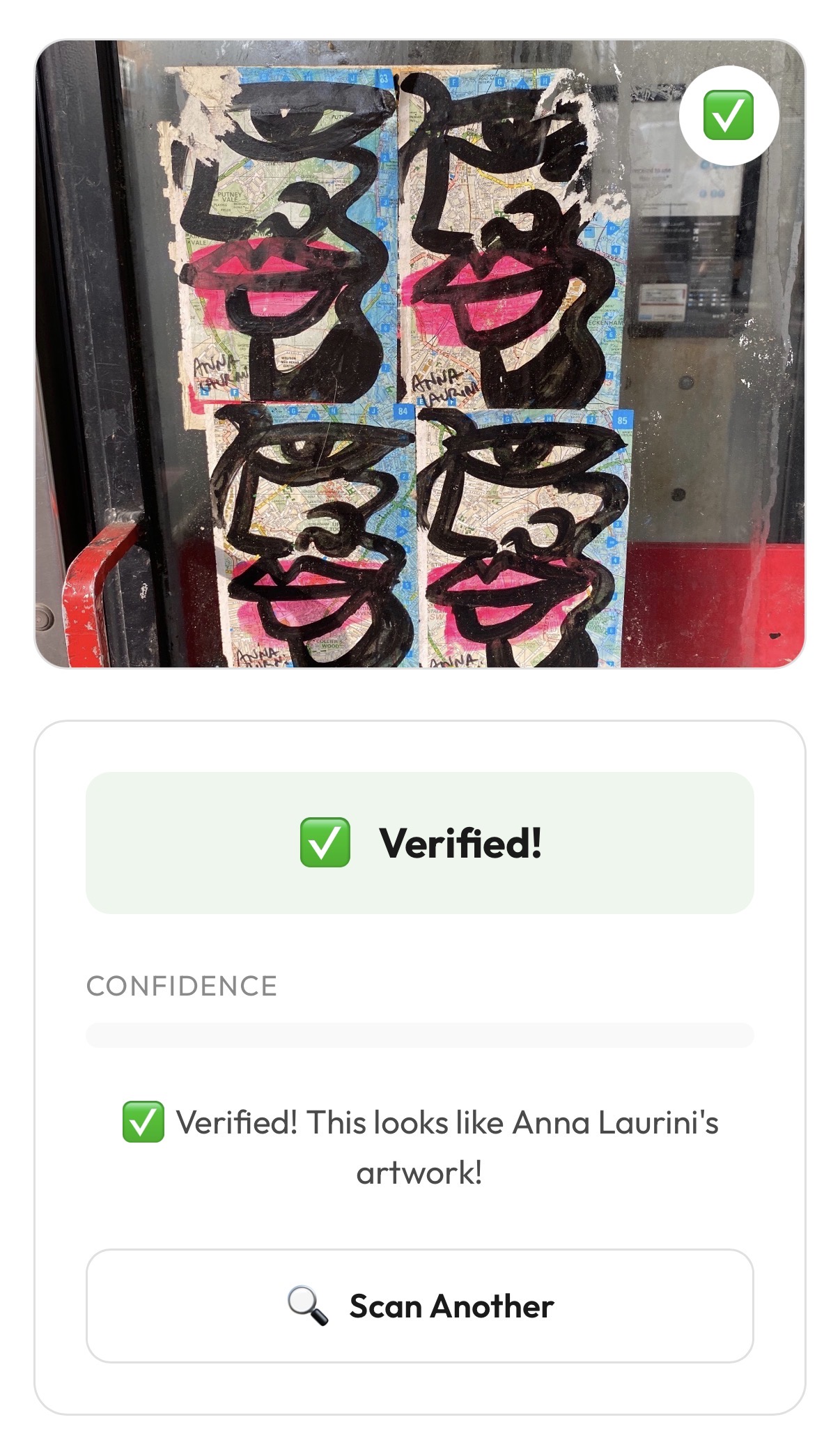
Verified!
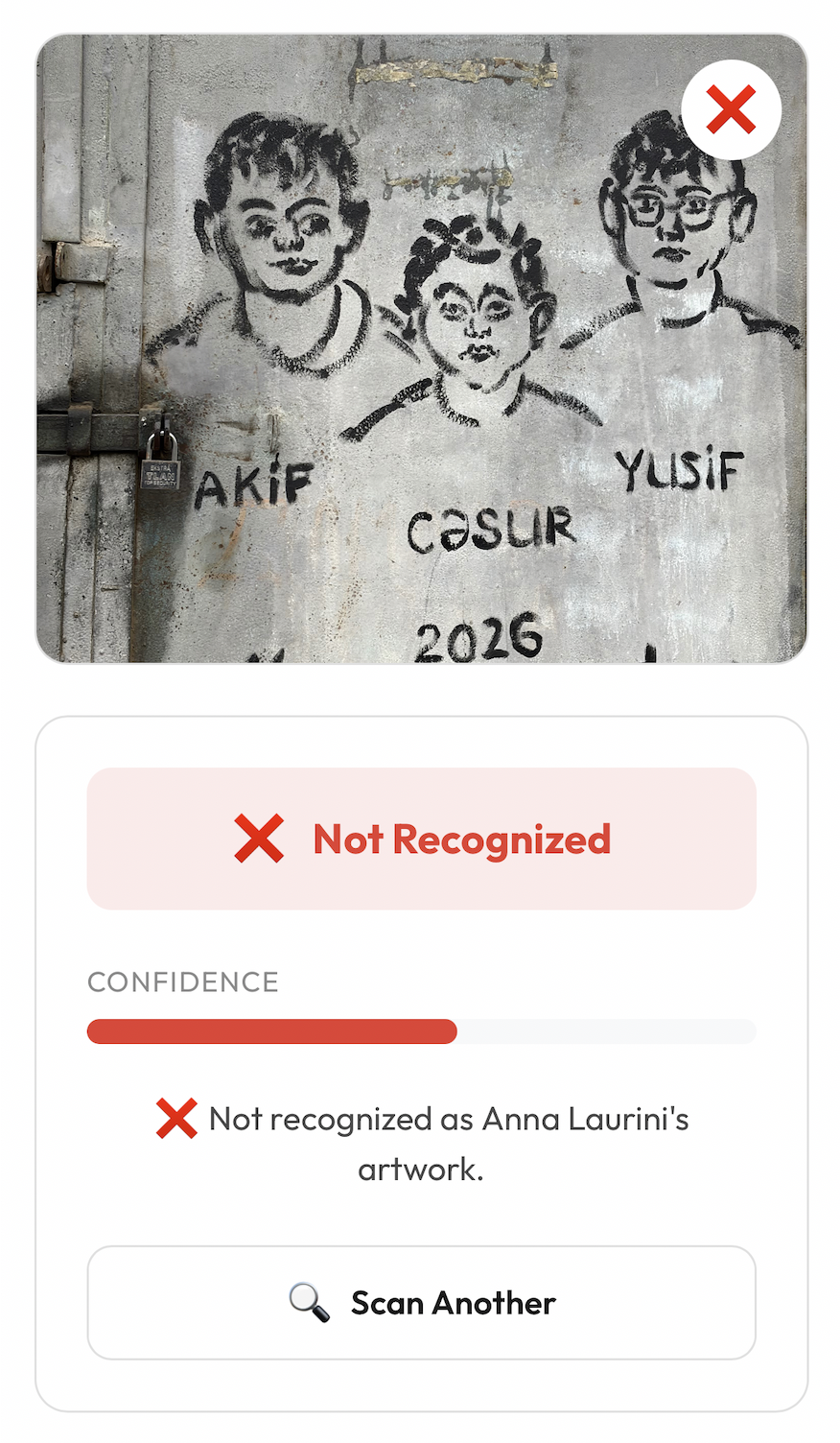
Not Recognised
- “Verified!” — photo CONTAINS the art.
In this scenario you just proceed by pressing “Save” button. Thus, the artwork is saved to both the shared gallery and “My Gallery”. Also +1 “face” is added to “My Rewards”.
- “Not Recognised” — photo does NOT contain the art.
In case someone tries to upload a picture that doesn't contain any art the app will detect it and show the message “Not Recognised”. The only thing to do after is to press “Skip”.
- “Not Recognised” — photo CONTAINS the art.
If the art is clearly visible but still not recognised, please retake the photo and try again — or Skip for now.
Note: This scenario is very rare but still might happen. Why this issue occurs will be discussed in the “AI/ML pipeline” section.
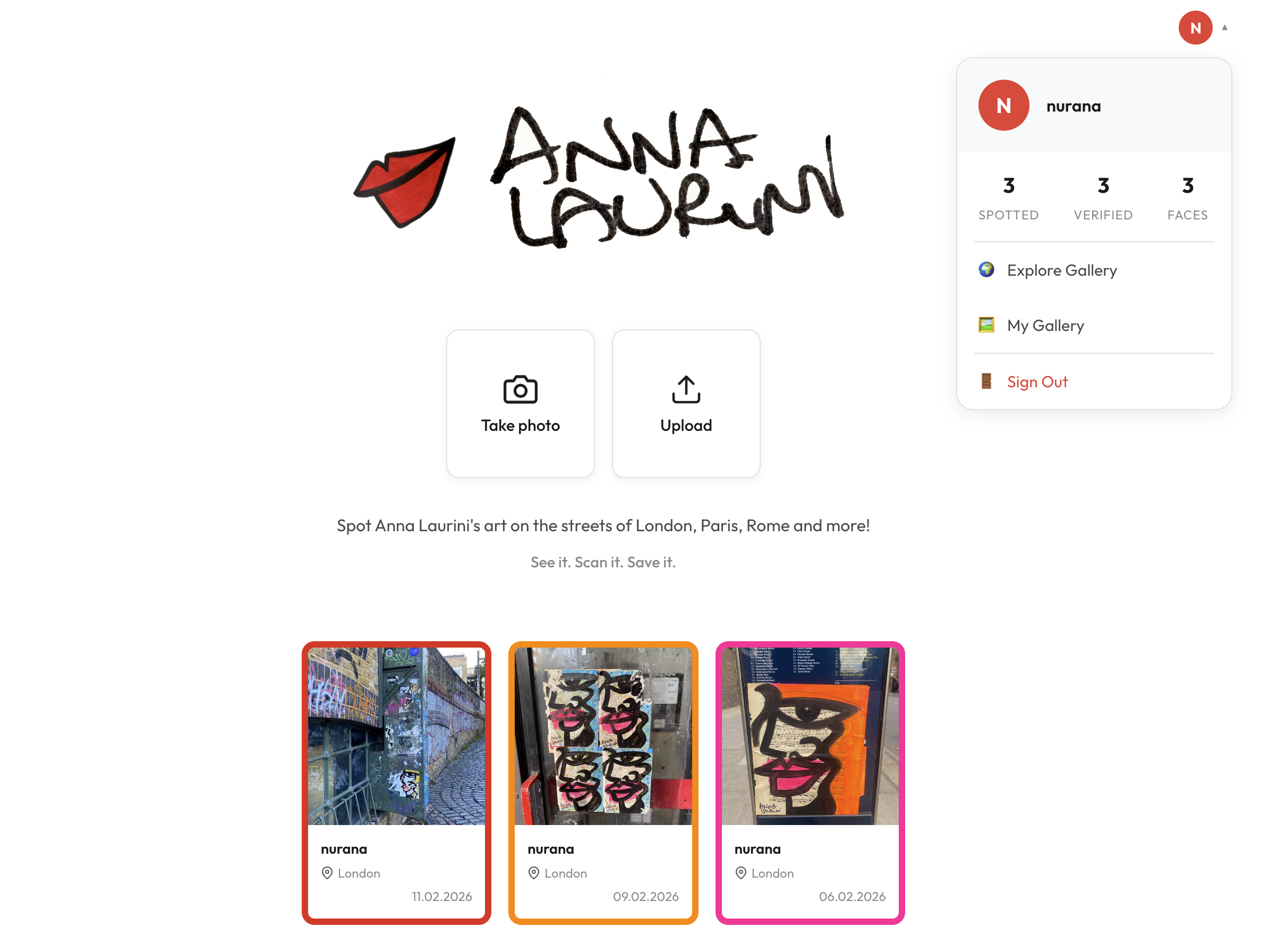
Click on the user profile to access these options:
- 🌍 Explore Gallery - leads to the main page that contains the shared gallery
- 🖼️ My Gallery — takes the user to the page where they can see how many faces are left to earn a reward and all of the art spotted by them only
- 🚪 Sign Out
Overall architecture
Frontend
For styling I decided to stick with plain CSS. Then, I used React 19 to build UI components and to handle the logic for updating what is shown on the screen. Also the Firebase JS SDK runs in the browser and handles signing users in, managing sessions and getting ID tokens.
Backend
For the backend I used FastAPI to build the REST API that connects the frontend to the database and AI verification logic. To control that only authenticated users can access protected endpoints, the ID tokens sent by the frontend are verified by firebase-admin that runs on the FastAPI server.
Database
Initially I used SQLite with SQLAlchemy for simplicity but when the app was ready to be deployed it needed scaling. That is when I moved it to the cloud and migrated the database to Firestore. It does not require a server to manage and works well with the rest of the Firebase ecosystem already in use.
Users are stored in a users collection, where each document ID is the Firebase UID:
### users/{uid}
{
  "username": "string",
  "email": "string",
  "created_at": "timestamp",
  "arts_spotted": "integer",
  "verified_spots": "integer"
}
Gallery images are stored in a gallery collection as base64-encoded JPEG strings directly inside the Firestore document. Images are compressed before saving (resized to a maximum of 800×800 pixels at 70% JPEG quality) because Firestore has a 1MB document size limit.
### gallery/{docId}
{
  "user_id": "string (Firebase UID)",
  "username": "string",
  "image_data": "string (base64 JPEG data URL)",
  "is_verified": "boolean",
  "confidence": "float",
  "message": "string | null",
  "best_match": "string | null",
  "location": "string | null",
  "notes": "string | null",
  "created_at": "timestamp"
}
AI verification
To verify whether the uploaded image contains the artwork the CLIP (clip-vit-base-patch32) model is used. It is a pre-trained vision model from OpenAI that understands images through learned embeddings — meaning no custom model training was needed. I uploaded 50 reference images stored on the server. When a user uploads an image it gets compared to the reference images and marked verified if the confidence metric is above 80%.
Deployment
The entire app is packaged into a single Docker container using a multi-stage Dockerfile. The first stage builds the React production package while the second stage sets up the Python runtime, installs dependencies (including the CLIP model, which is pre-downloaded into the image) and copies the built frontend in.
Every push to main triggers a GitHub Actions workflow, which submits the build to Google Cloud. Cloud Build compiles the Docker image (on a high-CPU machine due to the heavy PyTorch/CLIP dependencies) and pushes it to Google Artifact Registry tagged with the commit SHA. Cloud Build then deploys that image to Cloud Run which scales automatically and requires no server management.
The CLIP model is about 350MB in size. To avoid a slow startup every time the server launches, it is downloaded once during the Docker build and baked into the image — ready to go the moment the server starts.
AI/ML pipeline
The core feature of the app is verifying whether a photo actually has Anna Laurini's artwork. As mentioned above, I used an AI model called CLIP.
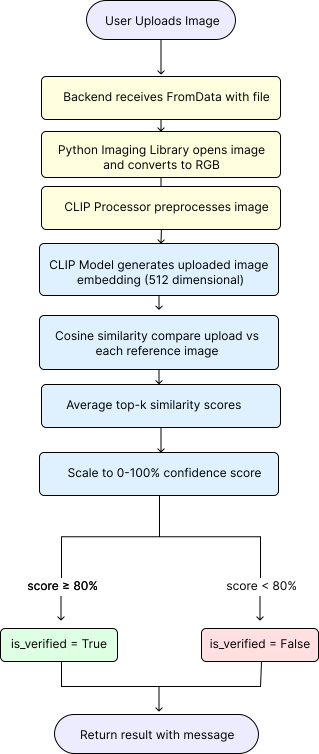
This model is pre-trained and does not require fine-tuning. To make it distinguish Anna Laurini's street art I collected around 50 reference photos that were converted into 512-dimensional embeddings and each compared to the photo uploaded by the user using cosine similarity. Because relying on a single best match is risky, I average scores from the top-k closest references to get a more robust result. That number is then converted to a 0–100% confidence scale.
Confidence level trade-offs
At this stage I designed a number of experiments to decide what thresholds to use. These experiments showed that the majority of images containing art end up scoring 90% or more. However, some photos that are corrupted, have unusual lighting or angle, or show an incomplete piece fall into the 75–85% range. This created a problem because some works by other street artists with similar shapes or colours also scored around 75%.
The only correct decision at that stage is to mark anything above 80% as verified. This is high enough to prevent false positives — no art by other artists can be verified — while leaving very few false negatives. That is easier to deal with: for example, if it was a Camera upload the user can simply retake the photo.
Note: References included daytime, night-time, rainy, blurred and cropped photos so the model already handles them well, normally scoring above 75%.
Model choice
But why CLIP specifically and not ResNet-50, for example? To answer this, I should mention that I have prior experience with ResNet-50. That model works best when we have fixed categories and want to distinguish one from another — it classifies images. CLIP, on the other hand, catches context and compares images by visual similarity. Unlike CLIP, ResNet-50 would also require retraining on Anna Laurini's work. ResNet-50 is more lightweight and faster, but the question we are trying to answer is more like “Does this thing look like this thing?” rather than “What category does this belong to?” — which makes a vision-language model like CLIP the obvious choice.